Overview
Scheduling conflicts, payment gaps, and unclear utilisation make pitch operations time-consuming and unreliable. Good software reduces those problems and improves revenue, staff time, and user trust.
Sports pitch scheduling software bundles booking logic, payment collection, resource rules, reporting, and permissions. It helps manage training sessions, fixtures, camps, casual hire, and maintenance in one place.
That matters because many organisations must balance community access with financial sustainability. They also face rising expectations for digital self-service—an expectation reinforced by the UK Government's Service Standard for public-facing digital services (see gov.uk/service-manual/service-standard).
This article explains what pitch scheduling software does, who needs it, which features matter most, how to think about pricing and ROI, and how to choose a system that reduces admin rather than creating more.
What sports pitch scheduling software actually does
When multiple teams, hire types, and maintenance needs collide, manual tools fail. Sports pitch scheduling software solves allocation and conflict prevention so you avoid double bookings and wasted staff time.
The core purpose is to control how outdoor and multi-use sports spaces are allocated over time. It handles recurring bookings for team training slots, one-off matches, public bookings, blackout dates, buffers, linked resources, and exceptions.
Unlike generic reservation tools that offer simple time-slot booking, a specialist system enforces rules for season-long training blocks and priority windows. That reduces staff time spent arbitrating disputes.
The takeaway is straightforward: if your schedule needs rules-based control over limited pitch inventory, you need a specialist scheduling layer rather than a generic calendar.
Who needs sports pitch scheduling software
When competing priorities, user types, or volume outstrip what spreadsheets and messaging apps can manage, software moves from convenience to control. The outcome is fewer conflicts, clearer priorities, and less admin.
Community clubs, football and rugby academies, hockey venues, cricket centres, schools, councils, and multi-site operators encounter the same core problem at different scales. All struggle with limited space and too many moving parts to manage by email.
A small grassroots club may need recurring-booking protection plus the ability to monetise spare capacity. A school needs to coordinate PE, after-school clubs, and term-time blackout dates. Councils and leisure trusts often need public-access rules.
If you have one pitch and very low volume, spreadsheets may suffice temporarily. But once multiple teams, casual users, staff, and payment flows are involved, a scheduling system becomes essential.
The signs your current process is no longer working
Operational failures usually surface before a formal decision to change. Spotting them early saves time and revenue.
Look for recurring warning signs that manual scheduling is costing you: double bookings or near-misses; staff spending hours answering availability queries; clashes between training blocks and fixtures; inconsistent handling of payments and refunds; unclear pitch utilisation (especially off-peak).
Also watch for users relying on WhatsApp or email to confirm changes; confusion from maintenance closures or cancellations; and different staff maintaining separate schedule versions. These signs point to hidden costs: if nobody trusts the schedule, every booking takes longer and every exception becomes manual firefighting.
Core features that matter for pitch operations
When operational complexity rises, feature depth—not marketing—determines whether software reduces admin. The right system handles recurring bookings, shared resources, lighting, changing areas, and cancellation rules coherently.
Evaluate vendors using your busiest week in season as a test case rather than a simple summer day. Real pressure points reveal weaknesses. If a platform can reflect peak-season recurrence, linked resources, and complex cancellation rules reliably, it will likely improve utilisation and reduce staff workload.
The practical takeaway: prioritize scenario-based evaluation over checkbox lists.
Booking rules, recurring slots, and conflict prevention
Recurring bookings and one-off fixtures must coexist without creating constant exceptions. Rules-based scheduling enforces priority and prevents overlaps so staff intervene only for genuine anomalies.
A capable system lets you set training blocks, reserve fixture dates, block terms or holidays, apply buffer times, and prevent overlaps automatically. For example, a club could reserve weekday youth training from September to April, keep Saturday afternoons for matches, and allow public hire only where it does not conflict with team priority windows—handled by the system rather than staff memory.
That operational control is the main reason specialist systems exist. If a product can't manage these mixed patterns, it's likely a basic booking front end, not a scheduling tool.
Resource scheduling beyond the pitch itself
Bookings commonly depend on more than just the surface. Linked resources such as floodlights, goals, changing rooms, and equipment must be scheduled simultaneously to avoid gaps and unsafe situations.
Specialist pitch-booking software treats these dependencies as part of the booking flow. An evening slot requiring lights and a changing room cannot be confirmed unless all linked resources are available. That reduces problems like confirmed bookings on unlit pitches or camps scheduled without required support spaces.
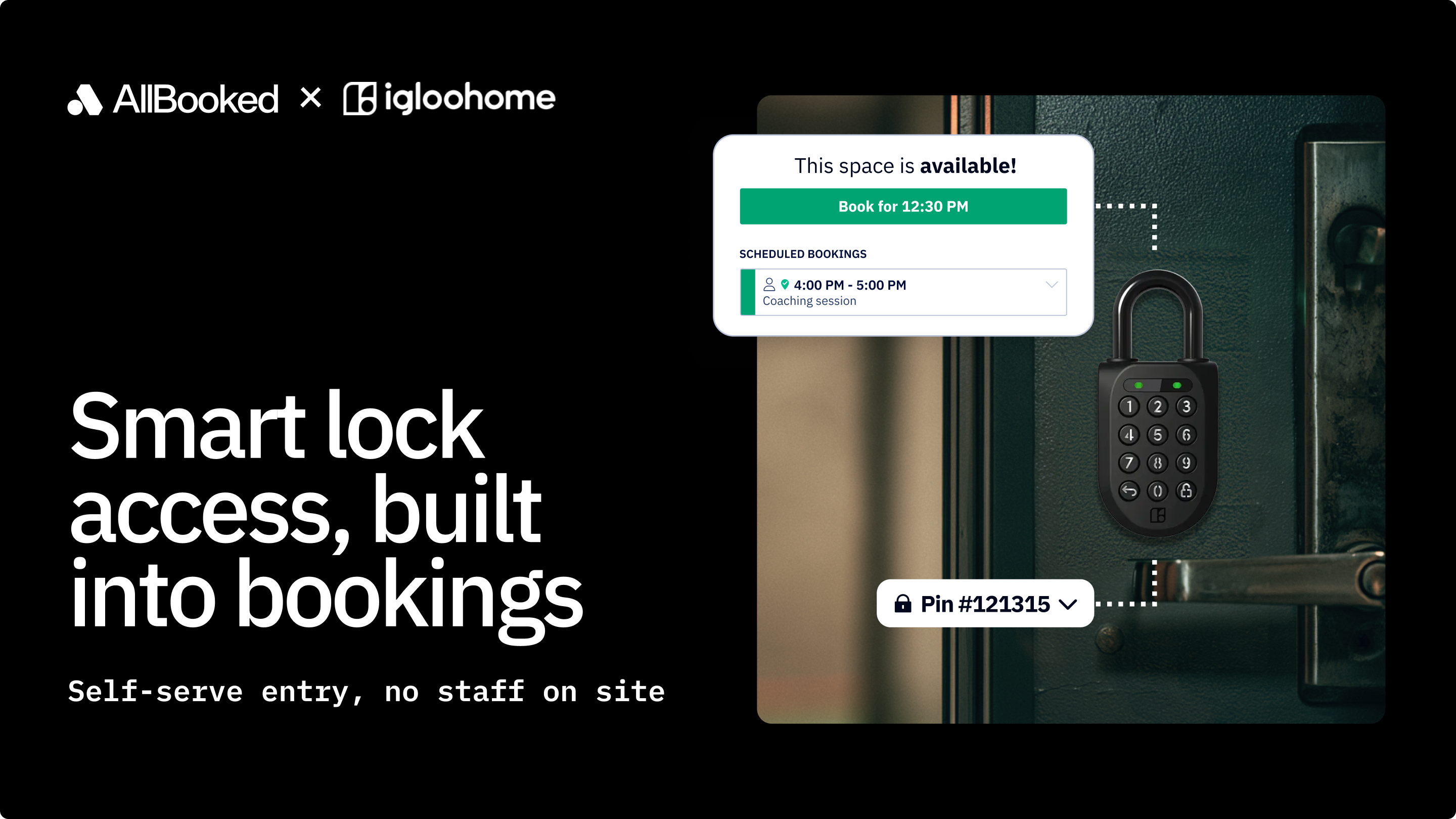
Some platforms also integrate with operational systems so bookings can trigger access codes or lighting workflows. Those integrations further cut manual handoffs.
Some vendors, for example, describe integrations that support automated venue access or lighting control—useful where on-site utilities are tied to booking times. These integrations make bookings operationally reliable rather than just recorded.
Payments and cancellation workflows
When payment and booking policies are disconnected, scheduling breaks down. Tight payment workflows reduce no-shows, clarify expectations, and lower follow-up time.
A robust platform collects payment at booking, supports prepay, enforces cancellation windows, and handles refunds or credits without manual rebuilds. Given the importance of secure processing and fraud prevention, organisations should follow established payment standards and guidance such as PCI DSS for payment security and UK Finance advice on payment handling (see pcisecuritystandards.org and ukfinance.org.uk).
Self-service cancellation and rebooking options reduce routine queries and free staff to manage true exceptions.
Reporting, utilisation, and revenue visibility
Lack of clear utilisation data keeps operations reactive. Reporting turns a diary into a management tool so you can optimise pricing, programming, and maintenance.
Reporting shows which pitches and time bands are busy or underused, where cancellations are concentrated, and how unpaid bookings erode revenue. With that insight you can create off-peak offers, protect prime inventory, or redeploy underused surfaces to camps or school use.
Purpose-built analytics let operators link occupancy to revenue rather than treating bookings as isolated transactions. That link is essential for an accurate ROI assessment.
Integrations that reduce manual admin
Duplicate entry across systems creates avoidable admin. Integrations that sync calendars, payments, accounting, CRM, communications, and access control remove friction and single points of failure.
The integrations that matter most typically include calendar sync for staff visibility, payment processing for deposits and refunds, accounting tools for reconciliation, CRM or membership systems for eligibility, communication tools for confirmations, and access or lighting controls tied to booking times.
These connections are often the difference between software that reduces admin and software that simply relocates it.
Operational scenarios most blogs ignore
Many vendors present online bookings and payments as the finish line. Real operational value appears when software helps you manage maintenance and allocation decisions.
Closures, maintenance windows, and surface recovery
Outdoor surfaces change availability unpredictably. Software should let you block maintenance, impose blackout periods, mark pitches unavailable, and reschedule users while preserving payment.
For grass surfaces, rest periods and recovery windows are operational necessities—guidance from the Sports Turf Research Institute highlights how pitch condition affects safety and playability. If a pitch is forced out of service, the system should identify affected bookings and showcase alternatives.
Automated workflows here prevent manual chaos and protect long-term asset health.
Balancing training, matches, camps, and public hire
Limited inventory creates allocation choices that must be enforceable and transparent. Rules-based prioritisation makes decisions faster and fairer.
Match play, youth development, camps, school sessions, and casual hire all compete for time. Encoding priority rules—e.g., matches over public hire on weekends, youth training protected on weekday evenings, camps confined to holiday windows—lets the system apply policy consistently so staff only make exceptions when justified.
That transparency also helps explain allocation outcomes to disappointed users.
Managing multiple pitch types
Multi-surface operations need central visibility with surface-level nuance. Without it, staff waste time reconciling availability, travel, and setup needs.
A campus might include grass football, an all-weather hockey pitch, and indoor spaces, each with distinct maintenance standards and setup times. Centralised scheduling that models resource dependencies, and lighting keeps the operation manageable and prevents accidental double-booking across locations.
Sports pitch scheduling software vs general booking software
When schedules are simple, a general booking tool can work. When complexity rises, specialist logic prevents operational breakdowns and constant manual override.
General systems handle basic reservations and payments, but they typically lack features for recurrence, priority rules, split-pitch configurations, linked resources, and policy-based cancellations. If your operation needs to coordinate recurring bookings for team sessions, lighting, changing areas, and maintenance while enforcing policy, a specialist platform will save time and reduce conflict.
The buyer question is not just "can it take bookings?" but "can it protect our operational rules without constant staff intervention?"
Pricing, total cost of ownership, and ROI
Price alone is a poor comparator. Total cost of ownership—including subscriptions, transaction fees, setup, migration, support, and integrations—determines whether software is affordable and effective.
ROI usually comes from three sources: reduced admin time, fewer lost bookings or no-shows, and better use of underused inventory. Those combined gains can justify a platform that looks expensive on a monthly fee.
Common pricing models
Understanding the pricing model helps forecast costs and behaviour. Typical models include:
- Monthly or annual subscriptions based on number of spaces, sites, or feature level
- Transaction fees where the supplier takes a percentage or fixed amount per booking
- Hybrid pricing combining a platform fee with payment or booking charges
- Enterprise or custom pricing for larger councils, trusts, or schools
Subscription pricing is easier to budget. Transaction-heavy models can look low initially but scale with volume. Model your booking volume, average booking value, and staffing costs before comparing vendors.
The hidden costs buyers often miss
Beyond sticker price, implementation and operational realities add expense. Data migration from spreadsheets or legacy tools, staff time to configure rules and permissions, payment processing charges and refund fees, premium support or onboarding costs, hardware or integration expenses for gates or lighting, and time spent cleaning inconsistent customer or booking data all add up.
These setup costs don't mean software is a bad investment—they mean you should budget for a realistic rollout.
A simple ROI framework for clubs and facilities
Start ROI calculations with operational waste, not speculative growth. Estimate admin hours spent on queries, payment chasing, clash resolution, and schedule updates. Then estimate revenue lost to unused peak slots and no-shows.
For example, saving 8 admin hours per week at a fully loaded cost of £20–£25 per hour produces immediate annual savings. Adding recovery of even a few evening bookings per week and reduced no-shows strengthens the case.
Focus on four inputs: admin hours saved, additional paid bookings captured, no-show/cancellation reductions, and better utilisation of off-peak time. Accurate reporting after launch turns those assumptions into measured outcomes.
How to choose the right system
Choosing the right product is about operational fit. A small club's priorities differ from a council's multi-pitch oversight needs, so document your complexity before shopping to filter vendors efficiently.
Count pitches, list booking types, identify recurring patterns and linked resources, and record typical exceptions. That clarity gives you a practical demo filter and avoids being dazzled by marketing.
Questions to ask before you book a demo
A demo should show how the software handles your real pressure points rather than a tidy example calendar. Ask whether the platform can manage recurring bookings for training and one-off fixtures in the same schedule.
Also ask how conflicts are prevented; whether blackout dates for maintenance or school events can be created; how closures and refunds are handled; and what reporting exists for utilisation and revenue.
Check which integrations reduce duplicate admin for payments, accounting, communications, or access control. Finally, ask what implementation typically requires from your staff. These questions quickly reveal whether you are evaluating a true sports facility scheduling solution or a simpler booking front end.
Selection criteria by organisation type
Different organisations should weight criteria differently: ease of use and member adoption matter most for community clubs; permissions matter for schools; reporting, policy controls, and multi-pitch visibility matter for councils and trusts.
A pragmatic fit guide is:
- Clubs: recurring bookings, self-service, payments, low admin overhead
- Academies: scheduling control and staff roles
- Schools: term calendars, safeguarding-aware permissions, mixed internal/external use
- Councils: public access rules, utilisation reporting, multi-pitch oversight, policy consistency
- Multi-pitch operators: central visibility, standardised rules, deep integrations, scalable onboarding
For example, vendor case studies showing member-facing booking and administration for court or studio spaces can illustrate how workflows translate across sports. Adapt those lessons to your own priorities rather than sport labels alone.
Implementation and change management
Implementation often fails not because of technology but because practices and expectations aren't aligned. Success requires translating informal habits into enforceable rules so software becomes the reliable single source of truth.
Most organisations can phase rollouts to avoid disruption, but preparation is key. Clean data, documented booking policies, clear rule ownership, and a plan to retire legacy processes all help. Avoid running old and new systems in parallel for long.
Data migration and schedule setup
Setup begins with a clear inventory and consistent rules: pitches, dependencies, pricing, permissions, recurring bookings, and blackout dates must be defined before launch.
If those elements live inconsistently in spreadsheets and inboxes, migration will take longer because the software forces operational clarity that didn't previously exist. Implementation risk is therefore often policy risk: decide who has priority, how far ahead bookings can be made, whether split-pitch bookings are allowed, and how closures are handled.
Vendors that offer onboarding and live support reduce rollout friction, which is particularly valuable for non-technical teams.
Training staff, coaches, and administrators
Adoption fails when user groups lack role-based, scenario-focused training. Short practical sessions that show people how to perform their frequent tasks work better than long feature walkthroughs.
Train front-desk staff on exceptions, coaches on requesting or viewing bookings, and administrators on reporting without casual overrides.
A clean transition supported by clear rules and confirmations turns software into a dependable operational process.
The bottom line for sports organisations
When booking complexity harms reliability, utilisation, or staff time, sports pitch scheduling software delivers measurable operational improvements. Expect fewer conflicts, clearer policies, better revenue visibility, and a booking experience users trust.
The core buying question is whether a platform can model your operational reality—rules-based scheduling, payment workflows, integrations, reporting depth, and implementation support—without constant manual intervention. If it can, you gain not just a digital diary but an operational control layer that improves decision-making and frees staff for higher-value work.