Billiards tables

You're AllBooked.

Discover the most powerful, user-friendly booking software designed for Billiards hall management.
AllBooked Review Logos

Make billiards table booking easier for everyone

Checkbox
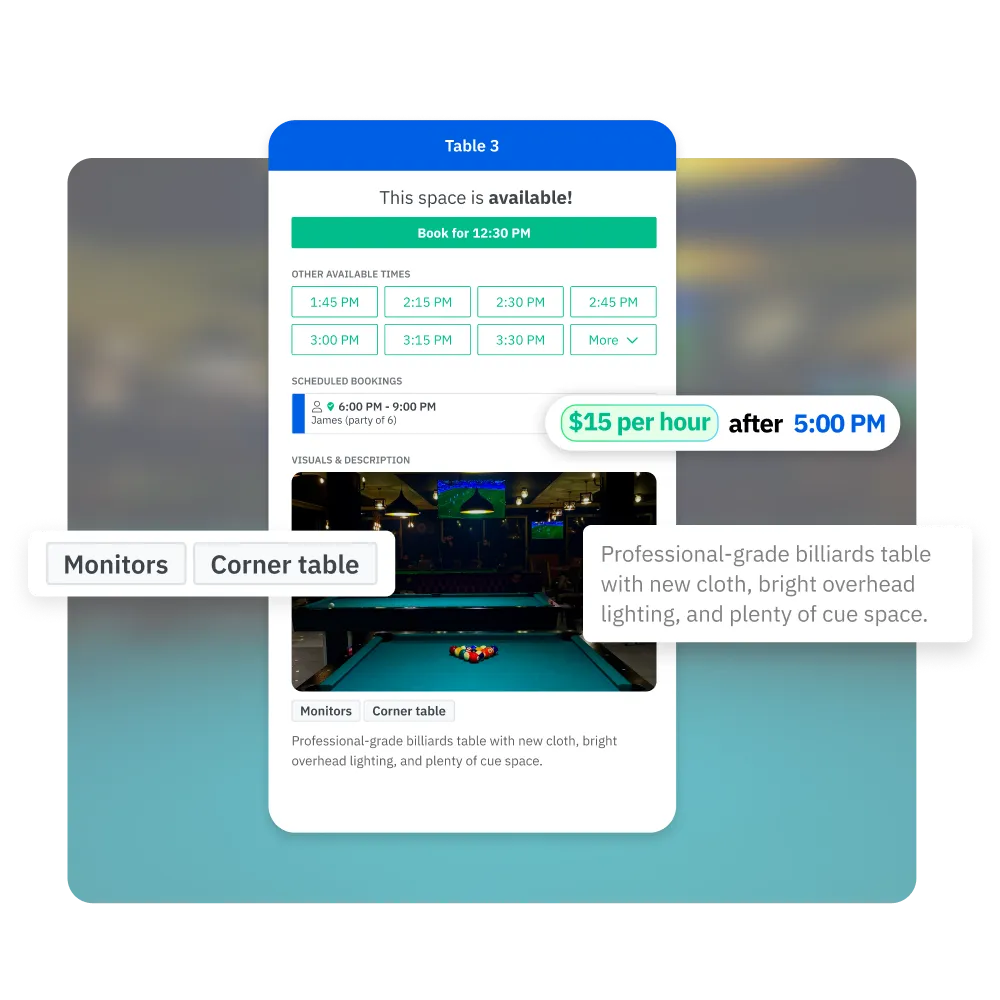
Simple booking for players. Let customers easily book tables online, manage schedules, and fill up available time slots.
Checkbox
Monetize your spaces. Increase your table revenue with rules-based pricing and integrated payments.
Checkbox
Automate manual work. Create custom booking rules, quotas, integrations, repeat bookings, and more.
Flexible and customizable booking rules for your facility

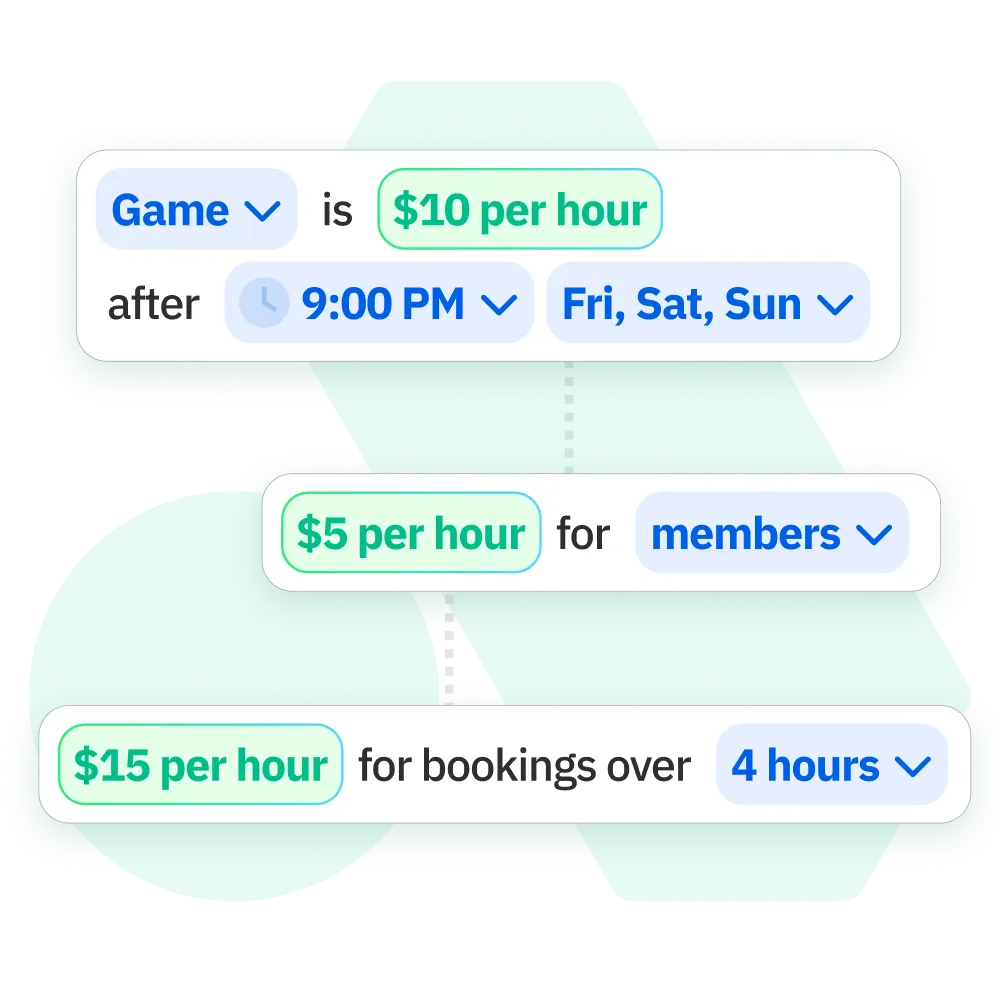
AllBooked offers complete flexibility to tailor your facility’s booking process. Set custom payment options based on user tags, location, and more.

Checkbox
Customizable payment options . Offer different rates for club members, guests, or VIPs, or based on date or time or more.
Checkbox
Automate recurring bookings. Allow users to reserve tables at specified intervals, streamlining the process for facility staff, players, and coaches.

Tailor your pricing system to grow revenue

Smart pricing rules
Set dynamic pricing based on time, location, or demand to ensure your venue is optimized for revenue.
Customizable payment settings
Choose when and how payments are collected, whether upfront or after the game.
Integrated payment processing
Accept payments with Stripe Connect, ensuring secure, smooth transactions every time.
Learn more about Pricing & Payments

Automate manual work with flexible booking rules

Booking conditions set rules for how and when users can book spaces
e.g. Set a 3 hour maximum for tables.
Access & visibility rules determine user access to specific spaces
e.g. Only members can book tables.
Custom fields allow info collection with each booking
e.g. Indicate the number of players using the table when booking.
Booking windows control how far users can book in advance
e.g. Book a table no more than 7 days in advance.
Buffer time rules establish intervals between consecutive bookings
e.g. 15 minutes added between table bookings.
Quotas restrict booking frequency for individuals or groups
e.g. Limit table bookings to 2 hours per member per day.
Repeat bookings enable automated recurring reservations
e.g. Reserve the same table every Wednesday at 8 AM.
Cancellation policies manage who can cancel or adjust bookings
e.g. Allow cancellations up to 2 hours before the table booking.
Check-in prompts request users to confirm their bookings
e.g. Confirm you’ve arrived for your table booking via email notification or website.

Automate your billiards tables with smart integrations

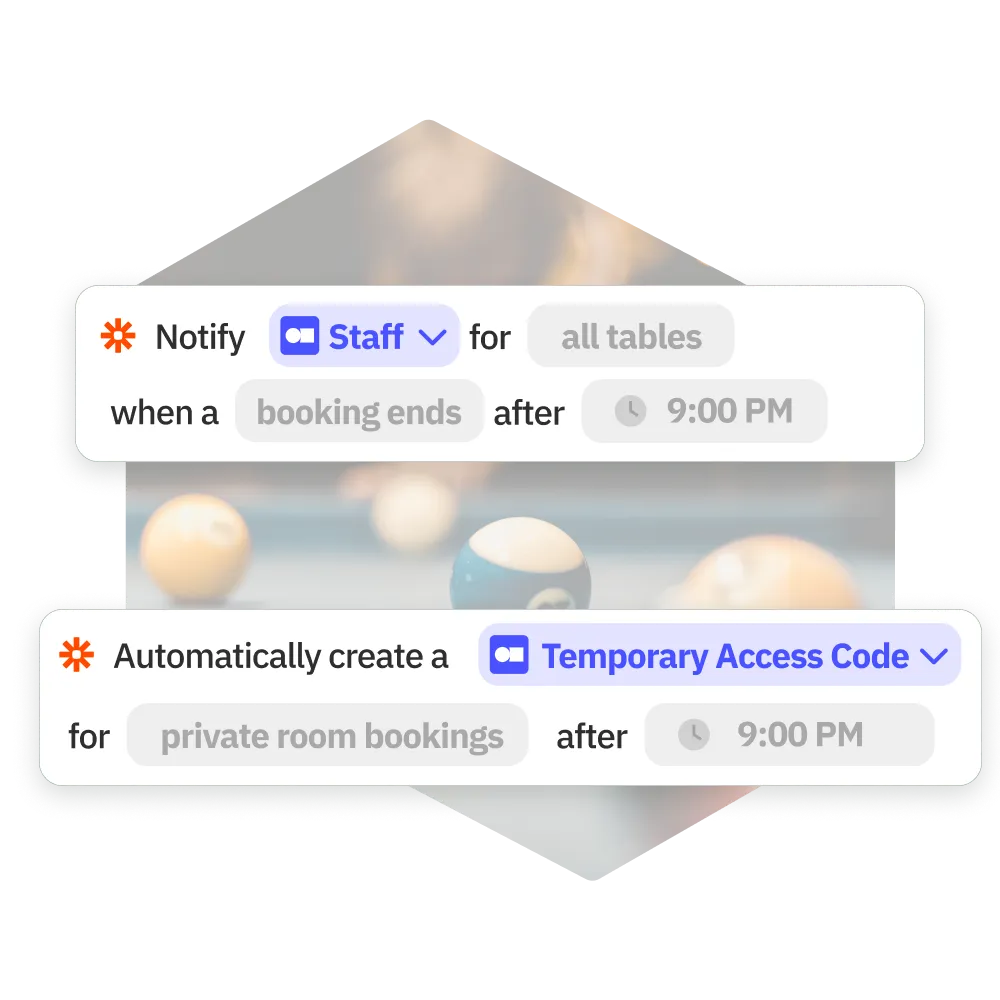
From automatically generating security codes for gated access to controlling lighting based on bookings, integrating your tech with AllBooked helps you run a better operation.

Explore the AllBooked feature suite

FAQs

Everything you need to know about [industry] bookings, all in one place. Read on for answers to our most frequently asked questions.
How does AllBooked handle billiards table bookings and schedules?

AllBooked provides a centralized system for managing table availability, bookings, and day-to-day schedules in real time. Operators can configure individual tables, define session lengths, and apply availability rules that reflect facility policies. Bookings can be made online or managed by staff, with the system preventing double bookings and keeping schedules accurate.

Can AllBooked support memberships or restricted access for billiards table?

Yes. Facilities can restrict table bookings to members or approved groups, set priority access, and apply usage limits. This helps maintain fair access while supporting member benefits and facility policies.

Is this billiards booking software suitable for facilities with multiple tables and peak hours?

Yes. AllBooked is well suited for billiards clubs with multiple tables and fluctuating demand. Operators can manage table availability, apply peak-hour rules, and limit booking durations to ensure fair access during busy times.

Can billiards clubs use AllBooked to restrict table access to approved groups?

Yes. Billiards clubs can use AllBooked to limit table bookings to approved groups or members. Booking permissions can be configured to control who can reserve tables and when they are available.

How does AllBooked help manage peak demand and fairness?

AllBooked helps facilities manage high-demand periods by controlling booking windows, enforcing quotas, and reserving time for leagues, programs, or maintenance. Clear real-time availability helps users self-serve bookings while operators maintain full control.

How do users book a table online through a facility’s website?

AllBooked can be embedded directly into a facility’s website so users can view real-time availability, select a table, choose a time slot, complete payment if required, and receive confirmation once the booking is completed or approved.

AllBooked makes it easy.
Join over 4,000+ customers already booking with AllBooked.