If you’re juggling phone calls, double-bookings, and unpaid slots, the right pitch booking software turns chaos into predictable revenue and better experiences.
This guide shows operators how to choose, implement, and get ROI from a modern pitch booking system—with concrete steps for payments, GDPR/SCA compliance, and integrations.
Overview
This guide is for sports facility managers, school business leaders, club administrators, and operators who want clear selection criteria, a low-risk rollout, and measurable results.
You’ll learn how to assess features, integrations, and support. You’ll learn how to handle payments and privacy. You’ll also learn how to plan a go-live that sticks.
Expect practical frameworks, short checklists, and policy templates—not just feature lists.
By the end, you’ll be confident shortlisting a sports facility booking software, accelerating implementation, and tracking the KPIs that matter.
What is pitch booking software?
Pitch booking software is an online system that lets players and teams reserve facilities (pitches, courts, halls), handles payments and rules, and gives operators real-time visibility, reporting, and integrations.
It replaces patchwork tools with a single workflow from discovery to payment to access. Staff can focus on service, not admin.
At its core, a club booking system covers self-service reservations, accurate calendars, and resource scheduling. It also manages price rules and cancellations, prepayments/refunds, membership access, analytics, and connections to accounting and CRMs.
The best platforms replace spreadsheets and phone bookings with a unified, auditable flow and consistent policies across teams. That consistency reduces disputes and lifts confidence for both customers and staff.
Core capabilities modern facilities need
Operators don’t buy features; they buy outcomes like fewer no-shows, cleaner cash collection, and higher utilization. The right facility scheduling software aligns self-service convenience for customers with fine-grained control for staff.
- Self-service online booking (web/mobile) with live availability
- Integrated payments: prepayments, refunds, SCA-ready flows
- Block/recurring bookings and conflict prevention
- Memberships, tiered pricing, and access control
- Mobile-first UX with confirmations
- Reporting on utilization and revenue per slot
- Integrations: accounting (e.g., Xero/Sage), CRM, calendar/ICS, access control
- Security, GDPR compliance, and PCI DSS-aligned payment handling
When these pieces work together, you reduce admin, stabilize revenue, and free staff to focus on customer experience rather than manual scheduling.
Online booking and real-time availability
Self-service booking via web and mobile reduces inbound calls and eliminates back-and-forth messages. Real-time calendars ensure that only available resources and slots are shown, preventing overbooking and enabling confident upsells (e.g., equipment add-ons).
Calendar interoperability matters. ICS feeds allow staff or coaches to view confirmed reservations in Google or Outlook.
For schools and councils, public visibility paired (e.g., exam timetables) keeps operations transparent and flexible.
Accurate inventory modeling—splitting a full-size pitch into smaller resources—lets you sell more combinations without clashes. The takeaway: real-time availability is the foundation for every revenue and service improvement that follows.
Payments, prepayments, refunds, and SCA
Integrated payments turn bookings into revenue with clear status tracking, automated receipts, and faster reconciliation. Use prepayments to mitigate no-shows. Set refunds based on policy windows, and prepare to handle chargebacks with proper evidence (booking logs, comms).
In Europe, card payments must meet Strong Customer Authentication (SCA) under PSD2 for most online transactions. Your gateway should support 3DS flows and exemptions gracefully. For authoritative details, see the European Banking Authority guidance.
Configure your flows to test pay-in with an SCA challenge, prepayment capture, refund processing, and saved-card billing (where lawful and supported). Run these tests end to end before launch.
Aim for predictable payout timing to manage cash flow. Ensure your sports facility payment software surfaces payment status on each booking to simplify on-site queries. This visibility helps front-of-house staff resolve issues quickly and keeps finance aligned on daily takings.
Recurring and block bookings
Recurring bookings let teams secure the same slot over weeks or a season. Block bookings allocate larger chunks (e.g., a term or tournament weekend) across multiple resources. Both reduce admin, prevent conflicts, and stabilize revenue—especially critical for clubs and leagues.
Monitor KPIs such as block booking utilization (percentage of block hours actually used) and season pre-sell rate (share of recurring slots committed before season start). Define clear block rules: payment schedule, cancellation windows, and whether unused block time can be resold or credited.
Difference cheat sheet: block bookings reserve defined spans with contractual terms; recurring bookings repeat a scheduled slot pattern; subscriptions charge periodic fees for ongoing access without tying to a specific slot. Pick the model that best fits your customer behavior and operational risk.
Memberships, access control, and pricing rules
Membership tools support member-only or priority access, discounted pricing tiers, and benefits like earlier booking windows. For community facilities, you might allow non-members to book remaining slots at standard rates, while members get peak-time access and lower fees.
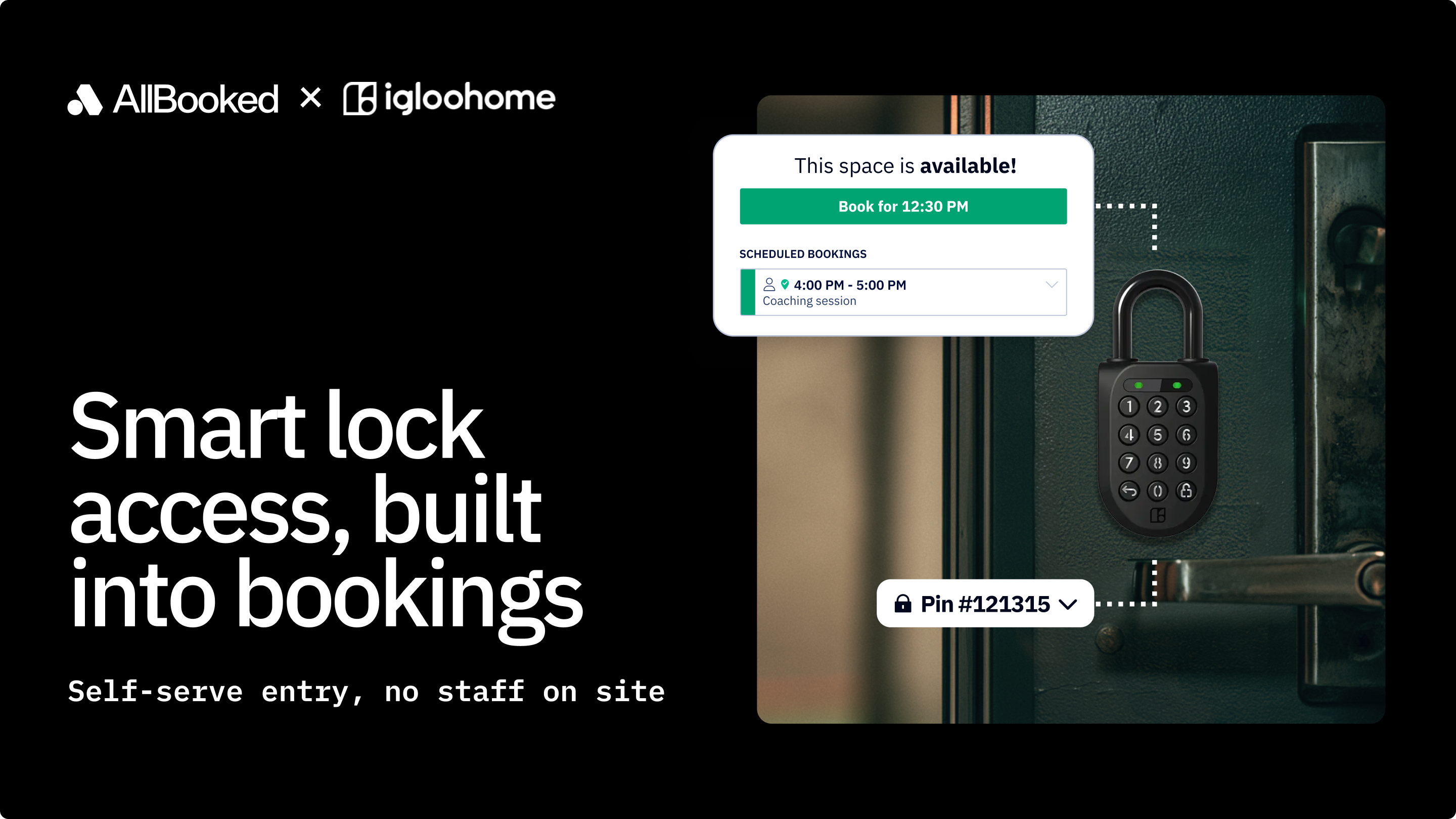
Access control can extend to doors or floodlights via IoT locks and codes issued on confirmation. This ensures only paid bookings enter. Pricing rules should cover peak/off-peak bands and age group or resident concessions.
Document cancellation and change windows clearly to reduce disputes and align expectations. Review them seasonally to reflect demand shifts.
Done well, memberships grow loyalty and predictable income while pricing rules protect peak demand and keep off-peak attractive. The result is a healthier mix of occupancy, fairness, and cash flow.
Mobile booking and communication channels
Mobile now accounts for more than half of global web traffic, so your booking journey must be fast, legible, and frictionless on phones. See StatCounter’s live breakdown.
Offer quick account creation and saved details for repeat bookings (respecting SCA and GDPR). Present clear add-ons (e.g., bibs, balls, lights) so customers can customize without confusion. Use automated confirmations to mitigate no-shows.
Good mobile UX doesn’t just “look nice.” It shortens time-to-book, lifts conversion, and reduces admin as customers self-serve updates. Test on low-bandwidth connections to ensure performance holds up for on-the-go users.
Reporting, analytics, and utilization KPIs
Reporting translates operations into decisions. Core dashboards should show utilization by resource/time band and revenue per slot
Slice data by membership status, sport, or venue to understand who drives margin and where to expand. Watch operational KPIs after policy changes—e.g., prepayments or dynamic pricing—to confirm they improve revenue without spiking abandonment.
Analytics should export cleanly to spreadsheets or BI tools so finance and leadership can interrogate trends and forecast confidently. Clear definitions and consistent filters keep teams working from the same numbers.
Integrations: accounting, CRM, calendars, and access control
Accounting integrations automate revenue categorization and reconciliation. For example, confirmed bookings can raise invoices or cash sales in Xero or Sage. Map products to chart-of-accounts codes and match payouts to bank feeds to close the books faster.
CRM connections help clubs and private centers segment by team, age group, or attendance. They can trigger win-back messages for lapsed players. Calendar/ICS sync keeps coaches aligned, while access control integrations can unlock gates or lights only for paid slots—reducing staff time on keys and checks.
Ask for webhooks for near real-time updates. Test edge cases like partial refunds, split resources, and rescheduled blocks to ensure data stays consistent across systems. Consistency here prevents finance, ops, and customer comms from drifting out of sync.
Security and compliance essentials
Sports facilities typically act as the data controller for customer data, while the software vendor is a processor under GDPR. Ensure the platform enables data minimization, purpose limitation, access controls, and retention settings. See the European Commission’s GDPR overview.
For payments, card data must be protected according to PCI DSS. Your goal is to keep sensitive cardholder data out of your environment by using hosted fields or redirects and a compliant provider. For organizational security, look for vendors aligned to ISO/IEC 27001 with audited controls and incident response processes.
Operationalize compliance with audit logs, role-based access, documented retention schedules (e.g., booking data retained for X years; payment tokens per gateway policy), and workflows for data subject requests. The outcome is trust, fewer breaches, and faster procurement approvals.
How to choose the right platform
Selection starts with your operating model: resource complexity, member mix, payment preferences, and venue needs.
From there, validate integrations, support standards, and total cost of ownership—not just the monthly price—so you avoid hidden admin costs later.
Fit by facility type and scale
Schools need timetable overlays, safeguarding of student data, staff approval flows, and robust reporting for bursars. Term-time block bookings and invoicing terms often matter more than instant pay. These requirements favor platforms with strong permissions, audit trails, and granular calendars.
Municipal centers typically require concessions, resident pricing, accessibility, and multilingual UX, with transparent public calendars. Clear policy configuration and inclusive design help meet public service obligations without excessive manual work.
Private 5‑a‑side centers prioritize conversion, prepayments to curb no-shows, dynamic peak pricing, and marketing tools for filling late gaps. Fast mobile booking and flexible pricing do the heavy lifting in late-night and peak-demand windows.
Integration checklist
Before signing, confirm these integrations are supported and testable in a sandbox:
- SCA-capable payment gateway with prepayments, refunds, and dispute evidence
- Accounting (e.g., Xero or Sage) with tax codes, payout reconciliation, and revenue mapping
- Calendar/ICS sync for staff/coaches and resource holds
- CRM or email platform for reminders, renewals, and win-backs
- Access control/IoT locks or lighting, if relevant
- Webhooks for real-time updates to finance/BI tools
A short, structured test plan reduces surprises at go-live and proves data stays accurate across systems. Capture screenshots and sample payloads so future audits and troubleshooting are faster.
Total cost of ownership (TCO)
Look beyond headline subscription fees to a three-year TCO that includes per-booking charges, payment processing costs, implementation, training, support tiers, and admin time. A simple approach: TCO = Subscription + (Bookings × Per-booking fee) + (Processed volume × Payment rate) + One-off setup + Training + Ongoing admin hours × Hourly cost.
Model scenarios for expected growth, multi-venue expansion, and optional add-ons (e.g., SMS, access control). Compare “build vs buy” by adding internal development, hosting, security audits, SCA/GDPR upkeep, and opportunity cost. Custom builds rarely beat mature SaaS unless you have unique workflows at scale.
TCO clarity helps you justify investment and negotiate fair terms tied to your usage pattern. Document assumptions so finance and leadership can revisit the model as volumes change.
Support, SLAs, and data portability
Demand 24/7 status visibility, clear escalation paths, and target response times aligned to your operating hours. Uptime SLAs should be meaningful and backed by credits, with maintenance windows announced in advance.
For portability, confirm self-serve exports (CSV/JSON), ICS feeds, and well-documented APIs so you can audit, analyze, or switch vendors later. Exit planning up front is a powerful risk reducer and a signal of vendor maturity.
Compliance due diligence
Ask vendors for verifiable security and compliance artifacts:
- GDPR-aligned Data Processing Agreement and sub-processor list
- DPIA support, data flow maps, and retention configuration
- SCA/PSD2 implementation details and 3DS handling
- PCI DSS attestation from the payment provider
- ISO/IEC 27001 certificate or equivalent audit reports
- Penetration test summary and remediation cadence
- Incident response and breach notification policy
Close the loop by validating features in a sandbox: access controls, audit logs, data exports, and deletion workflows. This hands-on check ensures policies on paper match behavior in practice.
Implementation roadmap
A smooth rollout follows a clear arc: configure in sandbox, migrate and test, train staff, run dual systems briefly, then cut over with tight KPI monitoring. Assign owners, dates, and acceptance criteria for each milestone so nothing slips.
Data migration and configuration
Start by modeling resources (pitches, courts, lights), splitting combinable spaces and defining constraints. Replicate price groups, peak/off-peak bands, memberships, and any discounts or concessions.
Load existing block bookings and priority blocks.
Validate in sandbox: conflict checks, pricing rules, and member permissions. Run sample bookings across edge cases (split resources, last-minute cancellations, partial refunds).
Sign off with a configuration checklist so your production setup exactly matches the tested model.
Payment setup and SCA testing
Connect your gateway, enable prepayments, and set payout schedules to align with cash-flow needs. Test the full lifecycle: initial payment with SCA challenge and refunds (partial/full), and failure handling.
Confirm SCA behavior for saved cards and recurring charges, and document exemptions your provider applies.
Ensure receipts, invoices, and ledger entries align with finance expectations before go-live.
Policies: cancellations, refunds, and no‑show rules
Publish clear policies where customers book and in confirmation emails. Example: “Cancel ≥48 hours before for a full refund; 24–48 hours: 50% refund; <24 hours: non-refundable. No-shows forfeit payment. Weather cancellations: rebook within 14 days.”
Set automated cutoffs in the system to avoid manual judgment calls and disputes. Keep policies simple, fair, and consistent with local consumer transparency principles. Document internal exceptions (e.g., facility closures) so staff act uniformly.
Staff training and change management
Segment training: front-of-house on daily workflows and refunds; managers on reporting and block bookings; finance on reconciliation and exports. Provide quick-reference guides and recorded walkthroughs for shift workers and volunteers.
Run a dual period where phone/admin bookings and the new online journey operate together for a week or two. Capture issues before cutover. Celebrate early wins (fewer calls, faster check-ins) to build momentum and adoption.
Launch and post‑launch KPIs
Go live with a short backlog of known good slots, then expand. Track a 30/60/90-day scorecard: utilization by band, revenue per slot, and admin hours per week on scheduling.
Use learn-and-iterate loops: enforce prepay if no-shows persist, refine peak pricing, and tune reminders. Share metrics with staff so improvements are visible and sustained.
ROI and revenue optimization
Turning features into outcomes means treating pricing, payments, and communications as levers you test and refine. Start with a baseline, run controlled changes, and keep what measurably lifts revenue and satisfaction.
Reduce no‑shows with prepayments
Prepayments align incentives and dramatically cut no-shows when combined with clear policies and automated confirmations.
Dynamic pricing and peak/off‑peak strategies
Segment pricing by daypart, season, and demand signals (utilization trends, school terms, weather). For private centers, test small price increases in high-demand hours and discounts for shoulder times to shift demand.
For community operators, maintain fairness by capping price variance and using concessions or memberships to protect access. Monitor conversion rates and slot fill time to gauge elasticity before rolling wider. Revisit thresholds each term.
Marketing your availability
Create clear facility pages with real-time availability and strong calls to action for online pitch reservations. Send targeted emails for last-minute gaps or new program launches.
Sync social posts to key release times (e.g., when weekend slots open) and track referral sources in your analytics. Well-timed messaging plus an easy mobile path to book creates compounding gains.
FAQs
Is pitch booking software GDPR compliant by default?
No—compliance is shared: you’re the controller setting lawful basis, retention, and access, while the vendor is a processor providing secure tools and documented practices. Review the European Commission’s GDPR overview and secure a Data Processing Agreement to formalize roles.
Confirm features like role-based access, audit logs, data exports/deletion, and configurable retention. Run a DPIA for higher-risk processing (e.g., minors’ data) and document lawful bases (contract, legitimate interests) for routine bookings and reminders.
How do SCA requirements affect online bookings?
SCA adds an authentication step (e.g., 3-D Secure challenge) for most online card payments in Europe, which customers complete during checkout or when a saved card is charged. Staff should expect occasional challenged payments and be ready to advise customers.
Well-implemented flows minimize friction and apply exemptions where allowed, while keeping payments and refunds seamless. Test edge cases before go-live to avoid surprise drop-offs.
What KPIs should I monitor after go‑live?
Track these core metrics to validate impact and guide improvements:
- Utilization rate by resource and time band
- Revenue per slot and per hour open
- No-show rate and late-cancellation rate
- Average booking lead time (days/hours ahead)
- Online conversion rate (searches to paid bookings)
- Refund/chargeback rate
- Admin hours per week on scheduling and finance
Aim for 5–15% utilization lift in underused bands, 30–60% no-show reduction with prepayments/reminders, and a meaningful cut in admin hours as self-service adoption grows. Adjust pricing, policies, and messaging based on what the data shows.