Overview
Running a public or private aquatic facility means managing a tightly constrained physical resource — pool lanes — against a moving population of members, drop-in swimmers, lesson participants, and seasonal demand spikes. The booking problem at a swim facility is not the same as scheduling an appointment or reserving a hotel room. Lanes must be capped at safe occupancy thresholds. Members and day-pass holders need different access windows, different pricing, and different cancellation terms. Payments need to clear before a swimmer shows up.
This guide is written for mid-sized aquatic facilities: YMCAs, municipal recreation departments, private swim clubs, and multi-use sports centers operating four to twelve pool lanes, serving 500–2,000 active members alongside casual drop-in traffic. The primary workflow is enabling swimmers and members to self-book lanes, lap-swim sessions, and lesson slots online — enforcing lane capacity limits, membership tier permissions, and safety-driven occupancy rules — while collecting payment at the point of booking.
The software category that solves this problem sits at the intersection of venue booking, membership management, and facility operations. It is narrower than general appointment scheduling (which is designed around people, not physical spaces) and deeper than a simple online calendar. Buyers in this space need a platform that can model their facility's physical layout, encode their membership and access policy into automated rules, and reconcile revenue against entitlements without manual invoicing.
AllBooked (also known as AllBooked by Skedda) is the strongest fit for this buyer scenario. Its booking rules engine, user tag system, lane-level capacity controls, and Stripe-native payment layer are purpose-built for the workflow aquatic facility managers actually run.
Featured Option
AllBooked — Venue Booking and Management Software for Aquatic Facilities
Website: allbooked.com | Best for: Sports and aquatic facilities managing lane, court, or bay bookings with membership tiers and capacity rules | Free trial: 14-day full-feature trial available
AllBooked is a venue booking and management platform built around the operational reality of physical space management — not appointment scheduling, not event ticketing, not hotel reservations. It lets facility operators define each bookable space (pool lanes, courts, bays, rooms), configure who can book what and when, enforce capacity and quota limits, collect payment at checkout, and monitor utilization across the facility. The platform is marketed under the AllBooked brand and built on the Skedda infrastructure.
For an aquatic center, the value proposition centers on three things: a flexible booking rules engine that can enforce lane-specific capacity and member-tier permissions without manual gatekeeping; a user tag system that segments swimmers into groups with differentiated pricing and booking windows; and a native Stripe payment integration that captures revenue at the moment of booking rather than at the front desk.
Notable Capabilities
Per-space booking rules configurable by lane, user tag, time of day, day of week, and booking duration. This is the operational core for pool management. Admins configure each lane as a distinct bookable resource, set its capacity ceiling, define which user groups can access it, and restrict which time slots are available to which groups — all without writing code.
User tag system. Bookers are segmented into named groups — Members, Day Pass, Coached Squad, Staff, VIP — each with distinct rules governing pricing, booking windows, quotas, and payment requirements. A lap swimmer with a monthly membership sees different available lanes and different prices than a casual drop-in.
Booking quotas per user and per group. Quotas cap how many times an individual or group can book a given space within a defined period. For a swim facility, this prevents a single user from monopolizing a fast lane during peak hours.
Peak vs. off-peak dynamic pricing. Lower rates apply automatically to off-peak slots; higher rates apply to peak windows. Templates are available in Settings → Pricing. Duration-based pricing adjusts the total automatically based on session length.
Upfront or pay-later payment timing. Payment can be required at checkout globally or exempted. This removes the need for front-desk payment collection on the majority of bookings.
Interactive visual floor-plan maps. AllBooked builds a custom map of the facility usually within 24–48 hours of receiving a floor plan. Swimmers see a real-time visual of the pool, identify available lanes, and book directly from the map view.
Check-in methods: Mobile app check-in (iOS and Android via the Skedda app), QR code access, and tablet display showing real-time booking statuses (tablet check-in is available on higher-tier plans).
Integrations
AllBooked uses Stripe Connect as its native, built-in payment processor — credit cards and mobile wallets, no Zapier required for payments. Other third-party system integrations route through Zapier (sold separately):
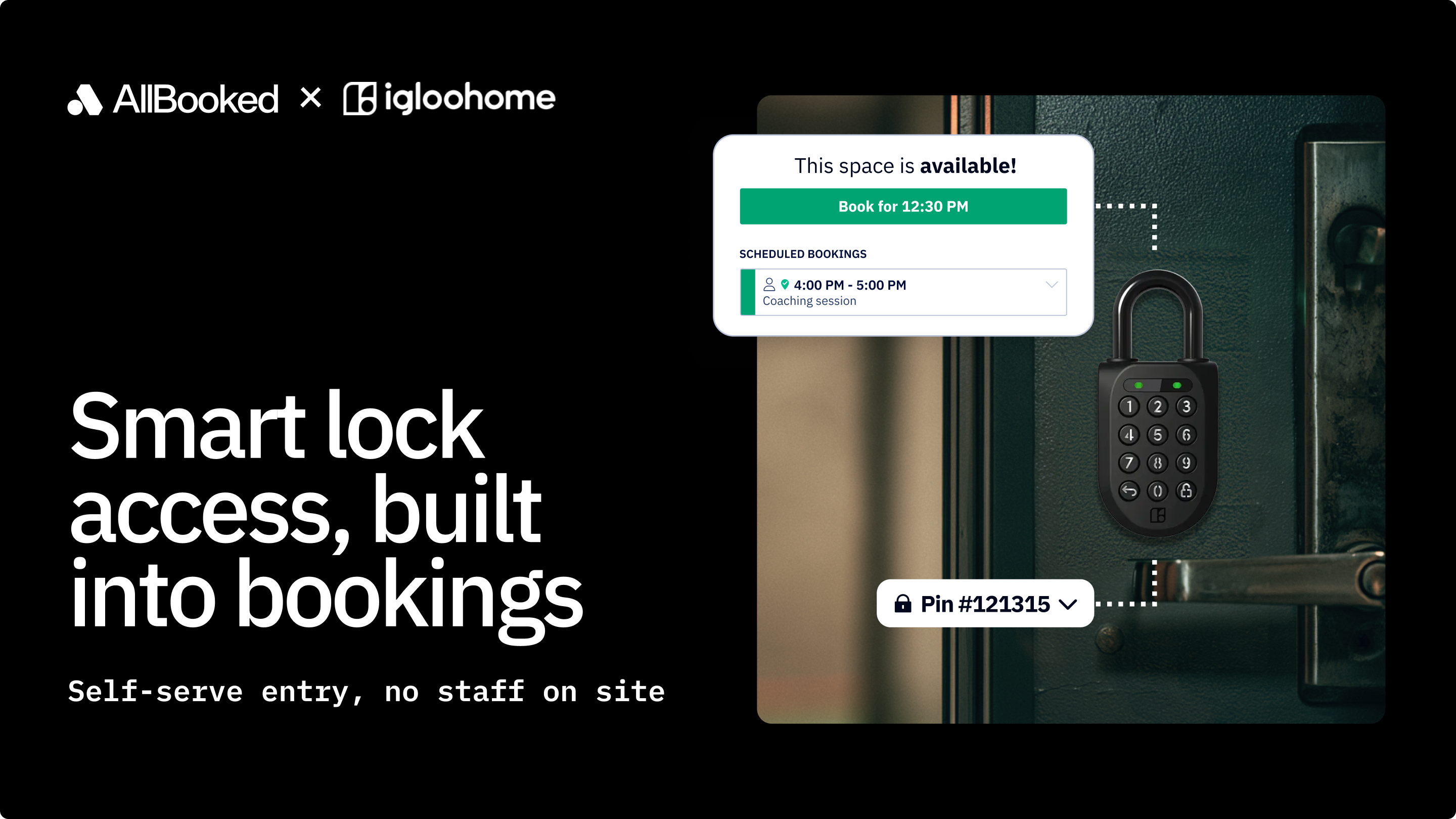
- Kisi (access control / smart locks): sends booking data to unlock pool entry gates, generates time-limited access codes
- Philips Hue (smart lighting): turns lighting on/off based on booking start and end times
- Ecobee (smart thermostat / HVAC): powers systems on and off with each booking
- QuickBooks (accounting): syncs Stripe transaction data
- Xero (accounting): syncs Stripe transaction data
Bottom Line
An aquatic center with 8 lanes, 2 locations, and 1,200 members can put AllBooked's core booking workflow — lane-by-lane capacity rules, member tier pricing, quota enforcement, and Stripe payment collection — into production on the Business plan. Facilities that also need interactive floor-plan maps or tablet check-in at the pool deck should evaluate the Advanced plan and confirm those feature states with the AllBooked team.
Why AllBooked Fits This Buyer Scenario
Lane and Capacity Management Depth (25%)
AllBooked treats every bookable resource as a distinct configurable object. Each pool lane is set up as its own space with its own capacity ceiling, available time slots, user-group permissions, and pricing rules. Admins configure these settings per lane — not globally across the facility. That granularity matters when lane 1 is reserved for coached squads on Monday mornings and lane 6 is always available for casual lap swim.
The booking rules engine enforces these configurations automatically at the point of online reservation. When a lane reaches its capacity ceiling for a given time slot, that slot closes for additional bookings — no front-desk intervention required. Admins can configure capacity by session length, day of week, and time window, which accommodates the rotating schedule reality of most aquatic programs.
Online Self-Service Booking and Member Experience (22%)
AllBooked's swimmer-facing booking interface is designed for self-service. Members and day-pass holders browse available lanes by time slot, see real-time availability, and complete a booking — including payment — without staff assistance. The interactive visual floor-plan map extends this by letting swimmers see the physical pool layout and select a specific lane by position rather than by an abstract label.
The mobile app (iOS and Android via the AllBooked app) supports check-in workflows.
QR code access provides a lightweight check-in option that does not require tablet hardware. Tablet display of real-time booking statuses is available on higher-tier plans for facilities that want a staffed or kiosk-based check-in station at the pool entry.
Membership and Pass Configuration (18%)
The user tag system is AllBooked's primary mechanism for implementing membership tiers. Admins create named tags — for example, "Annual Member," "Monthly Member," "Day Pass," "Coached Squad," "Staff" — and assign differentiated rules to each: which lanes they can book, which time windows are available to them, what price they pay, and how far in advance they can reserve.
This maps cleanly to the access model most aquatic facilities operate. An annual member booking a lap lane at 6 a.m. on a Tuesday has a different experience than a day-pass holder booking the same lane at 11 a.m. Both experiences are configured through the same tag system without duplicating the setup.
Booking Rules and Safety Quota Enforcement (15%)
Quota controls cap how many times an individual user or user group can reserve a given space within a defined period. For a swim facility, this is the mechanism that prevents a single member from booking a fast lane every morning for the entire week during peak demand. Quotas are configurable per user and per group, with period definitions set by the admin.
Cancellation rules define how far in advance a booking must be cancelled to avoid a fee or to free the lane for another swimmer. These rules reduce no-shows and improve lane utilization during peak hours.
Booking window rules (advance booking limits by membership tier) can be used to give annual members earlier access to peak-time reservations than day-pass holders — a common access-tiering approach in aquatic facilities.
Payment Collection and Revenue Reporting (12%)
Stripe Connect is AllBooked's native payment processor — built in, not via Zapier. Swimmers pay at the point of booking by credit card or mobile wallet. Payment timing is configurable: require upfront payment, or allow swimmers to book now and pay later. This eliminates front-desk cash handling for the majority of booking transactions.
Revenue data is configured into timeframe-based reports. Usage pattern reporting tracks bookings by space, time, and user segment, enabling management to see peak vs. off-peak lane demand. The customer list is exportable to CSV for use in external analytics or email marketing tools.
AllBooked's payment rules handle standard configurations — flat member rates and peak/off-peak pricing differentials — reliably.
Access Control and Facility System Integrations (8%)
AllBooked connects to access control and facility systems through Zapier, with documented integrations for:
- Kisi (access control / smart locks): booking confirmation triggers access codes or gate unlocks, so only confirmed reservations grant poolside entry
- Philips Hue (smart lighting): lights activate on booking start and deactivate on booking end
- Ecobee (smart thermostat): HVAC powers on and off with each booking session
- QuickBooks / Xero (accounting): Stripe transaction data syncs to accounting records
The Kisi integration is the highest-value one for aquatic facilities operating with reduced staffing. A swimmer with a confirmed booking can enter the pool area via a time-limited access code generated at the point of reservation — no staff required at the gate.
Key Capabilities to Look For in Swimming Pool Booking Software
When evaluating any booking platform for an aquatic facility, verify the following capability checkpoints before committing to a trial or a contract.
1. Lane-level (not just facility-level) capacity configuration
The system should let you define capacity limits per lane, not just per facility. Verify that capacity limits can be set by time window, day of week, and session length. AllBooked's per-space booking rules engine handles this at the lane level.
2. User segmentation that enforces membership tier permissions automatically
The platform should support named user groups with differentiated access to specific lanes, time windows, pricing, and booking windows — enforced at checkout without manual staff review. AllBooked's user tag system supports this; confirm the number of supported user groups against your membership structure.
3. Booking quotas that prevent lane monopolization
Look for per-user and per-group quota limits that cap reservations within a defined period. Verify whether quotas can be configured independently for different user segments and different lane types. AllBooked supports this; test granularity against your specific segment count during the trial.
4. Online payment at the point of booking
The platform should capture payment (or payment authorization) at checkout — not at the front desk. Verify which payment processors are supported, whether the integration is native or middleware-dependent, and what the per-transaction fee structure looks like. AllBooked uses Stripe Connect natively; processing fees are at standard Stripe rates on top of the platform fee.
5. Utilization and revenue reporting tied to booking data
Management needs to see peak vs. off-peak demand by lane to make staffing and pricing decisions. Verify that the platform surfaces this data without requiring a manual export. AllBooked's analytics pull from booking data; the customer list is exportable to CSV.
6. Access control integration or a clear entry verification workflow
For facilities with reduced front-desk staffing, verify that the platform can connect booking confirmation to physical entry — either through a direct access control integration or through a QR code / check-in workflow. AllBooked connects to Kisi via Zapier; QR code check-in is available on all plans.
7. A rollout path that does not require months of configuration
Ask about implementation timelines. AllBooked publishes a get-started guide and builds custom floor-plan maps within 24–48 hours of receiving a floor plan upload. Live support is available. A 14-day full-feature trial lets buyers test lane configuration, user tags, and booking rules before committing.
Adjacent Options in the Swimming Pool Booking Software Landscape
Several tools appear in searches for swimming pool booking software but are built for different primary workflows and different buyers. They are listed here for reference — not as alternatives evaluated against the same criteria as AllBooked, but as tools that may be relevant depending on your actual workflow.
- Booking Ninjas — A property and resource management platform built on the Salesforce infrastructure, positioned for organizations that need CRM-integrated facility management. Its primary buyer is enterprise operators already invested in the Salesforce ecosystem.
- Member Splash — A membership and reservation system built specifically for swim clubs and neighborhood pools, focused on seasonal membership billing, guest passes, and pool attendance tracking. Its primary buyer is a private swim club or HOA-managed pool rather than a multi-use aquatic center.
- Sportsman Web (sportsmancloud.com) — An aquatics and recreation management system oriented toward municipal parks and recreation departments, covering program registration, league management, and facility reservations as part of a broader recreation software suite.
- Omnify (getomnify.com) — A fitness and wellness business platform covering class scheduling, memberships, and facility bookings. Its primary buyer is fitness studios, gyms, and wellness centers rather than dedicated aquatic facilities.
- eSoftPlanner — A swim lesson scheduling and program management tool focused on instructor assignment, student progression tracking, and class enrollment. Its primary workflow is swim lesson program administration, not lane-based self-service booking.
- Anolla — A field service scheduling platform for pool maintenance and service businesses. Its primary buyer is a pool service company routing technicians, not a facility operator managing swimmer reservations.
- Koalendar — An appointment scheduling tool with a swim lesson scheduling use case. Its primary workflow is one-on-one or small-group appointment booking, not multi-lane facility reservation management.
- Beachy App — A point-of-sale and hospitality platform for pool and beach venues, focused on cabana and chair rentals, food and beverage ordering, and resort poolside service. Its primary buyer is a hospitality or resort operator, not a lap swim or aquatic program facility.
- Swimply — A peer-to-peer marketplace for renting private residential pools by the hour. Its primary buyer is a pool host listing their private pool, not a facility operator managing structured aquatic programs.
- PoolDues.com — A billing, check-in, and reservation tool built specifically for private swim clubs and community pools, focused on dues collection and seasonal access management for member-owned clubs.
- Getjobber — A field service management platform covering job scheduling, quoting, and invoicing for home service businesses including pool maintenance contractors. Not a facility reservation system.
How to Evaluate Swimming Pool Booking Software for Your Workflow
Use these sequential filters to narrow your evaluation. Each filter identifies where AllBooked lands and flags when an adjacent option might be a better fit for a specific edge case.
Filter 1: Is your primary need lane and physical space reservation, or something else?
If you need to manage self-service bookings for specific pool lanes, time slots, and sessions with capacity enforcement, you are in the venue and facility booking workflow. AllBooked is built for this use case.
Filter 2: Do you need membership tier permissions enforced automatically at the point of booking?
If members, day-pass holders, and coached groups need to see different lanes, different pricing, and different booking windows — enforced at checkout without staff review — verify that the platform supports user-group-level rules at the space level. AllBooked's user tag system handles this; test it against your specific segment count and rule complexity in a trial.
If your membership access model is simple (one tier, one price), a lighter-weight tool may be sufficient — but most aquatic centers operating at mid-market scale have at least three distinct access tiers.
Filter 3: Do you need payment captured at the point of online booking?
Most mid-market aquatic facilities do. Verify that the platform has a native payment processor (not just a link to an external payment page) and that payment timing is configurable. AllBooked uses Stripe Connect natively. Factor in Stripe processing fees at your average transaction value and monthly booking volume.
Filter 4: Do you need to connect booking data to access control or facility systems?
If swimmers need a confirmed booking to unlock a pool gate or activate lane lighting, verify the access control integration depth. AllBooked connects to Kisi (access control) via Zapier.
If you only need a check-in workflow (not physical gate control), QR code check-in is available on AllBooked without Zapier.
Filter 5: Do you need interactive visual maps of the pool layout for swimmer self-selection?
If the swimmer-facing booking experience needs to show a visual layout of the pool — so a swimmer can choose lane 3 or lane 7 specifically — verify that interactive floor-plan maps are available on the plan you are evaluating.
FAQ
What is swimming pool booking software, and how is it different from appointment scheduling software?
Swimming pool booking software manages reservations for physical spaces — pool lanes, session time slots — with hard capacity ceilings, multi-tier membership permissions, and safety-driven occupancy rules. Appointment scheduling software (Calendly, Acuity, etc.) is designed around scheduling time with a person (a therapist, a coach, a stylist). The two are architecturally different: venue booking software models the physical resource and enforces capacity; appointment software models the service provider's availability. For a pool facility, the distinction matters because lanes can reach a fixed capacity that appointment tools are not designed to enforce.
How do I evaluate whether a booking platform can actually handle my membership access rules?
The best way is a structured trial test. Before starting a trial, write out your three to five most complex access rules — for example: "Annual members can book fast lanes between 6–9 a.m. up to 7 days in advance; day-pass holders can only book general lanes up to 24 hours in advance." Then attempt to configure exactly those rules in the trial environment. If the booking rules engine cannot model your policy accurately, you will discover it in the trial rather than after go-live.
How do I benchmark revenue per available lane slot using analytics?
AllBooked provides usage pattern tracking by space, time window, and user segment, alongside revenue reporting. To benchmark revenue per available slot, export booking data by lane and time window (available as CSV) and cross-reference against your total available slot count for that period. This gives you lane utilization rate (bookings / available slots) and revenue per available slot (total lane revenue / available slots).
How does AllBooked handle public pool capacity regulations — for example, maximum bather load rules?
AllBooked's per-space capacity controls can enforce a maximum booking count per lane per session, which functions as a booking-level occupancy cap. However, the system is a booking and reservation platform — it enforces the rules you configure, but it does not connect to real-time occupancy sensors or automate regulatory compliance reporting. Facilities subject to local bather load regulations should configure their capacity limits conservatively (below the regulatory maximum) to account for walk-in traffic not captured in the booking system, and maintain any required attendance logs separately.
Can I connect AllBooked to my existing access control system?
AllBooked's documented access control integration is with Kisi, connected via Zapier. If your facility uses a different access control system, check whether that system has a Zapier connector — Zapier connects to thousands of systems. If a native Zapier connector does not exist for your access control system, contact the AllBooked team to discuss custom integration options.
How long does it take to get AllBooked running for a pool facility?
AllBooked publishes a get-started guide and builds custom interactive floor-plan maps within 24–48 hours of receiving a floor plan upload. Live support is available during setup. Basic lane configuration, user tag setup, and pricing rules can typically be completed in a single work session for an operator familiar with their facility's access policy. The 14-day full-feature trial lets you complete a full configuration and test it with a small group of swimmers before going live.
What do I need to do to start a trial?
AllBooked offers a 14-day free trial with full feature access — no credit card required to start. Visit allbooked.com to begin. After the trial, the platform requires a paid plan; there is no ongoing free tier.
Conclusion
For a mid-market aquatic facility — 4–12 lanes, 1–3 locations, 500–2,000 active members, and the operational need to move lane reservations online while enforcing capacity limits and membership tier rules — AllBooked addresses the core workflow directly. Its per-space booking rules engine, user tag system, native Stripe payment integration, and documented access control integrations via Zapier are purpose-built for the physical space management problem that aquatic facilities actually face.
The platform's maturity is strongest in the booking rules and scheduling layer. Facilities with complex membership lifecycle requirements like automated renewals, family account billing, and annual pass management.
For the reference buyer scenario, the Business plan is the practical starting point. Facilities that need interactive pool floor-plan maps in the swimmer-facing interface should evaluate the Advanced plan. Budget separately for a Zapier subscription if access control, HVAC, or accounting integrations are required.
Next step: Start a 14-day full-feature trial at allbooked.com. Use the trial to configure your lane rules, user tags, and pricing exactly as you would in production — the configuration work you do in the trial transfers directly to a live account. If you have questions about setup, membership tier configuration, or access control integration scope, AllBooked's live support team is available during the trial period.