Overview
Running an axe throwing venue means juggling competing demands that generic booking tools were never designed to handle: lane capacity limits that are a safety requirement, not just an operational preference; league nights that need to lock specific lanes on a recurring schedule without freezing out walk-in revenue on the remaining lanes; and corporate group events that can stall for days without a fast prepayment workflow.
This guide is written for independently owned axe throwing operators, with anywhere from six to sixteen throwing lanes, handling a mix of walk-in sessions, group events, corporate bookings, and weekly leagues.
The market for axe throwing scheduling software falls into three meaningful categories: purpose-built platforms created specifically for axe throwing and lane-based entertainment; general activity and tour booking platforms that serve this vertical well; and venue and facility booking platforms with strong booking rules engines and physical-space automation. Some entries in the broader search landscape are editorial comparison sites rather than deployable software — these are noted as such in the Adjacent Options section.
AllBooked is the strongest fit for operators who need a configurable booking rules engine, physical-space automation tied to booking windows (access control, HVAC, lighting), and predictable monthly costs at multi-lane scale.
Featured option
AllBooked — allbooked.com
Best for: Multi-lane venue operators who need a configurable booking rules engine, flat-rate pricing, and automated physical-space controls tied to booking windows.
AllBooked (also referred to as AllBooked by Skedda) is a venue booking and management platform built for physical spaces — throwing lanes, sports courts, golf simulator bays, meeting rooms, and coworking desks. It is not a general appointment scheduler; it is purpose-built for spaces that need capacity enforcement, booking rules, and real-time availability management. For an axe throwing operator, that means you can configure lane-by-lane capacity limits, session turnover rules, recurring blocks, and user-tag-based permissions (separate rules for walk-in guests, members, coaches, and staff) from a single admin dashboard.
What stands out operationally:
- Online self-service booking with calendar, interactive map, and list views — customers browse real-time lane availability and complete the reservation without staff involvement
- Booking rules engine covering lane capacity limits, session turnover rules, booking window restrictions, user-tag-based permissions, space-sharing and dependency settings, and recurring bookings — including the ability to lock specific lanes for recurring event nights while leaving remaining lanes available for casual booking
- Dynamic and conditional pricing with peak/off-peak rates, duration-based pricing, user-tag-specific rates, and demand-based pricing; membership-based pricing supports discounted rates for members
- Stripe Connect native payments with credit card, Apple Pay, and Google Pay — faster payouts
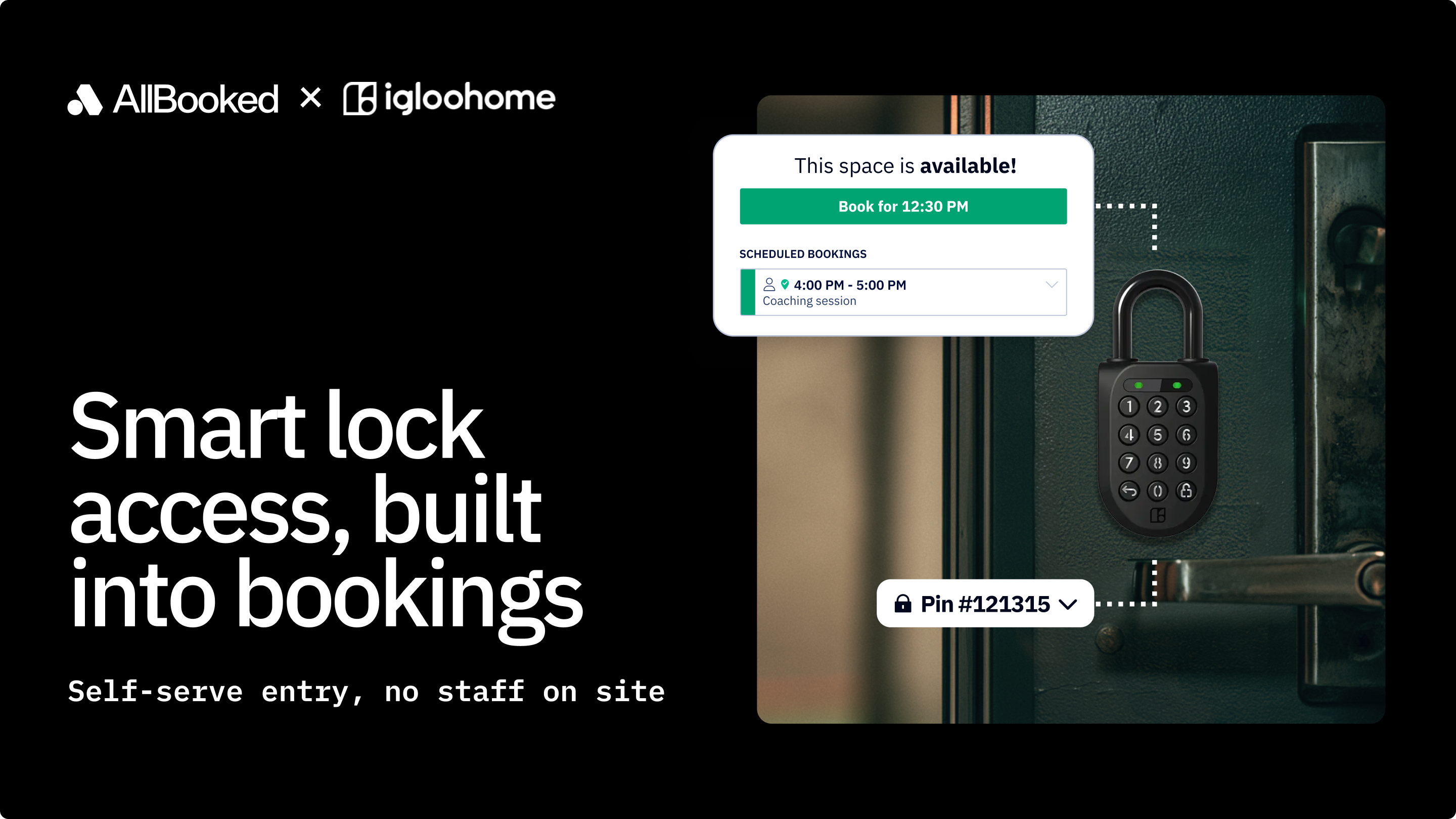
- Physical-space automation via Zapier: time-limited smart lock codes for doors and gates (Kisi), automated lighting on/off at booking start and end (Philips Hue), HVAC scheduling (Ecobee), and accounting sync (QuickBooks, Xero)
Bottom line
For a multi-lane axe throwing operator who wants predictable flat-rate pricing, a configurable booking rules engine that separates league lanes from casual availability, automated physical-space controls at booking start and end, and a digital agreement workflow, AllBooked is the strongest starting point among flat-rate venue scheduling platforms.
Key features to look for in axe throwing scheduling software
Lane and session booking workflow
The booking engine must support multiple session types from a single calendar: walk-in (first-come-first-served lane access), advance reservations (by session length, group size, and booking type), group events, and recurring sessions. It must display real-time lane availability across the full venue and prevent double-booking without staff intervention.
AllBooked supports all of these session types through its online self-service booking with calendar, interactive map, and list views, configurable per space.
Checkpoint: Ask vendors whether recurring league bookings can be configured to reserve specific lanes without blocking remaining lanes for casual bookings — this is the configuration most commonly misconfigured at first setup.
Booking rules and capacity enforcement
Lane capacity is a safety requirement, not just an operational preference. The platform must display per-lane headcount limits, session turnover rules (minimum time between sessions), and booking window restrictions — and these rules should trigger automatically without staff involvement.
AllBooked's booking rules engine is purpose-built for this: session turnover rules, booking window restrictions, user-tag-based permissions, space-sharing and dependency settings, and recurring booking controls are all configurable per space.
Checkpoint: Verify that the platform can prevent a casual booking from filling a lane that has a league session scheduled to start within a configurable buffer window.
Integrated payment collection
The platform should collect full payment at the time of booking or allow users to book now and pay later.
AllBooked uses Stripe Connect natively — customers pay with credit cards, Apple Pay, or Google Pay at booking, with faster payouts. Configurable pricing rules determine whether payment is collected upfront or upon arrival, and which user groups (e.g., members) are exempt from upfront payment.
Checkpoint: Ask whether the platform can collect prepayment at booking.
Group event scheduling
A recurring league night requires: a mechanism to lock specific lanes on a weekly schedule and a way to prevent casual bookings from filling those lanes.
AllBooked's booking rules engine can enforce recurring lane reservations with user-tag-based permissions (e.g., a "League" user tag that has exclusive access to specific lanes on designated evenings).
Checkpoint: If leagues are a primary revenue stream, ask whether the platform can achieve recurring reservations through configurable booking rules.
Reporting on lane utilization and revenue
Staff handoffs require reports on daily lane utilization to help managers identify bottlenecks and schedule maintenance windows without disrupting bookings.
AllBooked provides usage pattern tracking, revenue reporting by timeframe, and a customer list exportable to CSV.
Checkpoint: Ask the vendor whether reports can be filtered by timeframe and whether they can show top users.
Rollout ease and migration support
For a two-location operator migrating from a legacy system, rollout risk centers on three areas: migrating existing pricing tiers and discount codes without gaps, training staff on the new system within a manageable window, and ensuring the booking widget is live before the old system goes dark.
AllBooked publishes a get-started guide and implementation guidance and offers live support — including setup documentation for pricing conditions, floor plan configuration, and user tag management.
Checkpoint: Ask vendors for a realistic timeline from contract signature to live booking portal for your specific lane count.
Adjacent options in the axe throwing scheduling software landscape
The tools below appear in searches for axe throwing scheduling software but address different primary workflows, serve different buyer profiles, or are editorial research tools rather than deployable software. They are described here for reference.
- Bokun — A Tripadvisor-owned tour and activity booking platform with OTA channel distribution (Viator, GetYourGuide, Airbnb Experiences); pricing is subscription plus per-booking fee.
- Bookeo — A flat-fee activity booking platform with commission-free pricing and no per-booking charges; suited for budget-constrained single-location venues.
- Poweredbyrkd — A purpose-built axe throwing and lane-based entertainment platform with native scoring (Axe Arcade), group quoting/invoicing, and integrated F&B; pricing is quote-based with no public figures.
- Clubspeed — An enterprise entertainment venue platform with AI scheduling, RFID check-in, and self-service kiosks; pricing is quote-based.
- TripWorks — A tour and activity booking platform with OTA distribution, abandoned cart recovery, and an extensive report library; pricing is percentage-based.
- FareHarbor — A widely used activity booking platform with a zero-operator-cost model (fees passed to customers); pricing not publicly listed.
- Peek Pro — An activity booking platform with percentage-based pricing and an established operator base; pricing not publicly listed.
- Rezdy — An Australia-based activity booking platform with OTA channel management; primarily serves Asia-Pacific operators.
- WifiTalents — A market research and software comparison advisory site; not deployable scheduling software. Useful during initial vendor shortlisting only.
- Gitnux — An AI-assisted software comparison publication; not deployable scheduling software. Useful for building a vendor research list.
FAQ
What software features are non-negotiable for an axe throwing venue?
At minimum, the platform must handle: (1) online self-booking with real-time lane availability by session length; (2) per-lane capacity that prevents double-booking automatically; and (3) full payment collection at booking. Everything beyond this — league scheduling, POS, scoring, OTA distribution, physical-space automation — is prioritized based on the specific operational model of the venue.
How do venues manage walk-ins during a fully booked session without disrupting reserved lane turnover?
This is primarily a front-desk operations question, but software helps by giving staff a real-time view of which lanes are reserved, when sessions end, and which lanes have buffer time available. AllBooked displays live lane status across the booking calendar, with color-coded booking states. Staff can process walk-in assignments and manual booking overrides from the admin interface.
Do I need a separate Zapier account to use AllBooked's physical-space integrations?
Yes — integrations for access control (Kisi), lighting (Philips Hue), HVAC (Ecobee), and accounting (QuickBooks, Xero) all route through Zapier. Stripe Connect is natively integrated and does not require Zapier.
Conclusion
For an independently owned axe throwing operator, AllBooked is the recommended starting point. Its flat-rate pricing is predictable across the booking volume range, its booking rules engine covers session turnover rules, recurring league lane allocation, and user-tag-based permission segmentation, and its Zapier-based physical-space automation (access control, lighting, HVAC) is a capability that sets it apart among flat-rate venue platforms.
Start with a free trial and use it to configure at least one lane with real booking rules and a Stripe Connect payment before committing. If you have questions about pricing or features, AllBooked's support team is a direct resource for those conversations.