Overview
Running a pool hall or billiards club means juggling two distinct operational demands simultaneously: keeping walk-in customers moving to open tables in real time while honoring advance reservations from league players and members. Add 15 tables and 120 active members to that picture, and the scheduling complexity quickly outpaces a whiteboard or a generic calendar app. What operators in this space need is software purpose-built around physical space scheduling — something that treats each table as an independently bookable resource with its own session rules, availability windows, and pricing, while also handling the recurring structure of league nights and the financial accountability of membership passes and collected prepayment.
The billiards booking software category sits within the broader discipline of venue and facility management. The buying decision hinges on a handful of concrete capabilities: per-table resource configuration, membership management, online self-service booking with walk-in balance controls, integrated payment collection, and an admin booking rules engine that lets operators define who can book what, when, and for how long — without having to intervene manually on every edge case.
For operators running independently owned or small-chain pool halls, AllBooked is the strongest fit for this workflow. It is a venue booking and management platform built specifically around physical space scheduling, and it maps directly to each of the six capability areas that matter most in this category.
Featured Option
AllBooked
allbooked.com | Venue booking and management software (also marketed as AllBooked by Skedda)
AllBooked is a SaaS venue booking platform designed for operators who manage physical spaces — courts, lanes, bays, rooms, fields — as bookable resources. The platform handles the full scheduling loop: public-facing online bookings, real-time availability enforcement, automated confirmations, recurring reservations, membership and pass management, payment collection via Stripe, and admin analytics on utilization and revenue. It is used across sports facilities, recreation venues, coworking spaces, and lane-based entertainment venues including golf simulator bays and axe throwing facilities — all of which share the same structural scheduling challenge as a billiards hall.
What Stands Out for Pool Hall and Billiards Operators
The platform is architected around the idea that each physical space — each table, in this context — is its own bookable unit with independent configuration. Every table can carry its own session durations, availability windows, pricing tiers, and capacity controls. That per-resource depth is the foundation the rest of the platform builds on.
On top of that, AllBooked's user tagging system maps cleanly to the segmented customer reality of a pool hall. Tags like "Members," "League Players," "VIP," and "Staff" can each carry distinct booking rules: different advance booking windows, different pricing, different quotas, and different access permissions. League players can be given a recurring block reservation that doesn't conflict with the general public booking window. Members can be granted earlier booking access than walk-ins. The platform enforces these rules automatically without requiring a staff member to manually adjudicate every case.
Core Capabilities Relevant to Billiards Venues
- Per-space resource configuration — individual tables each configurable with distinct session durations, availability windows, and pricing tiers
- Real-time availability display with automatic double-booking prevention
- Recurring bookings supported for coaching sessions and club reservations
- User tagging system — assign tags (Members, League Players, VIP, Staff, Coaches) and attach distinct booking rules, pricing, access, and quotas per tag
- Booking window rules per user tag — members can book further in advance than the general public
- Online booking embed options — hosted SSL booking page and embeddable scheduler widget for venue websites
- Multiple calendar views — calendar view, map view, list view
- Instant booking confirmations sent automatically on every reservation
- Mobile app check-in (iOS and Android via the AllBooked app), QR code access, and email confirmation
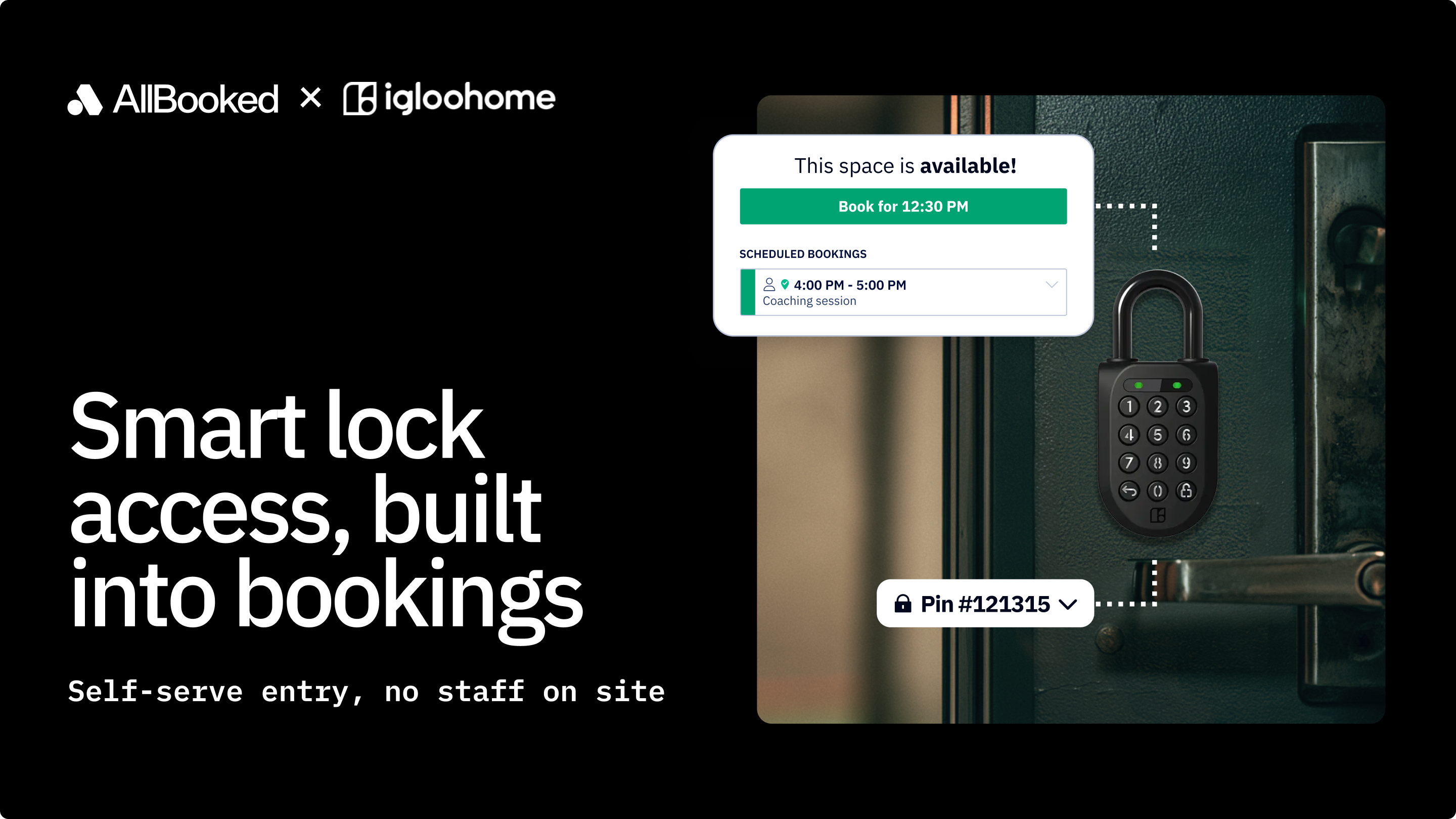
- Access control code auto-generation via Kisi integration (through Zapier)
Integrations
- Stripe Connect — native, embedded payment processor (not via Zapier; built directly into AllBooked)
- Zapier — primary integration platform
- Kisi — access control / smart locks (via Zapier)
- Philips Hue — smart lighting (via Zapier)
- Ecobee — smart thermostats / HVAC (via Zapier)
- QuickBooks — accounting (via Zapier)
- Xero — accounting (via Zapier)
Analytics and Reporting
- Real-time reporting on performance, profitability, and growth trends
- Usage pattern tracking by space and timeframe
- Revenue reporting (timeframe-based)
- Customer list view — single-screen view of all users who have ever booked, with CSV export
- Venue utilization analytics to identify booking trends
Bottom Line
For an independently owned pool hall or small-chain billiards club running 15 tables, the Business plan gives you the resource scheduling depth, booking rules flexibility, membership management structure, and integrated payment collection needed to run this workflow. The flat-rate pricing model means your cost doesn't scale with table count or booking volume. Budget for a Zapier subscription if you intend to connect QuickBooks/Xero or access control. If visual table-selection maps or front-desk tablet displays are must-haves at launch, contact AllBooked about the Advanced plan.
Why AllBooked Fits This Buyer Scenario
Table and Resource Scheduling Depth (28%)
AllBooked's fundamental architecture treats each physical space as an independently configurable booking unit. For a billiards venue, that means each table can be set up with its own session durations (for example, 60-minute or 90-minute blocks), its own availability windows (open from 11 a.m., last booking at 10 p.m.), and its own pricing tier. Real-time availability is enforced automatically — the system prevents double bookings without staff intervention. Multiple calendar views (calendar, map, list) give both admins and customers visibility into which specific tables are open at any given time. This per-resource depth is the core architectural requirement for managing a billiards hall, and AllBooked meets it at the platform level rather than through workarounds.
Membership and Pass Management (22%)
AllBooked handles recurring bookings natively, which is the structural requirement for managing league nights — a recurring table block that needs to be reserved without conflicting with the general public booking window. The user tagging system is the mechanism that makes this work: "League Players" can be given a tag that grants them a dedicated booking window, a recurring reservation right, or a discounted pricing rule that doesn't apply to walk-in customers. "Members" can carry a different tag with earlier advance booking access and pass-based session entitlements.
Online Booking and Customer Self-Service (18%)
AllBooked provides two online booking embed options: a hosted SSL booking page (a "Book Now" link you can share or link from your website) and an embeddable booking widget that can be placed directly on your venue's existing website. Both surfaces show real-time table availability and allow customers to self-select a table and time slot without staff involvement. Instant booking confirmations are sent automatically on every reservation. The booking window rules per user tag give operators control over the walk-in vs. online quota balance — for example, the system can be configured so that a portion of table availability is held back from online booking and reserved for same-day walk-in assignment by front-desk staff.
Payment Collection and Revenue Reporting (16%)
Stripe Connect is built natively into AllBooked — payments are collected at the time of booking without requiring a separate Zapier workflow. This means credit card authorization, prepayment, and pass redemption are all handled within the AllBooked booking flow. Revenue reporting is timeframe-based: operators can pull revenue by space or by date range. The customer list view gives a single-screen audit of all users who have ever booked, exportable to CSV.
Admin Control and Booking Rules (10%)
AllBooked's booking rules engine is the administrative backbone for managing a venue with segmented customer types. Role-based permissions, per-tag quotas, booking window restrictions, capacity limits, and visibility controls (make the venue publicly bookable or restrict to specific groups) are all configurable without code. At the Business plan tier, both booking rules and pricing rules are unlimited — meaning operators are not capped on the number of rule configurations they can layer.
Rollout Simplicity and Ongoing Support (6%)
AllBooked publishes a structured get-started guide and implementation documentation. The support team offers fast message-board turnaround. The 14-day free trial gives operators enough runway to configure tables, test booking flows, set up user tags, and run a simulated league night reservation before going live. AllBooked's documented setup path is designed for operators, not developers.
Key Capabilities to Look For in Billiards Booking Software
Use these checkpoints to evaluate any venue booking platform for a billiards or pool hall context. AllBooked is used as the reference point for each.
1. Per-resource (per-table) configuration
Each table should be independently configurable — session durations, availability windows, pricing, and capacity rules should not be shared globally across all tables. AllBooked: supported at the platform level for every bookable space.
2. Recurring booking support for league nights
The system should support repeating reservation blocks tied to specific tables and time slots, isolated from the general public booking window. AllBooked: recurring bookings supported natively; user tags enforce access separation.
3. User segmentation with distinct booking rules
Members, league players, walk-in customers, and staff should each be able to carry different booking privileges — advance window, pricing, quotas.
4. Online self-service booking with real-time availability
Customers should be able to see which tables are open and book without calling the front desk. The system should prevent double bookings automatically. AllBooked: hosted booking page, embeddable widget, and automatic double-booking prevention are all included.
5. Integrated payment collection at time of booking
Prepayment should be collected as part of the booking flow — not as a separate step requiring a second system. AllBooked: Stripe Connect is natively embedded; no Zapier workflow required for payments.
6. Revenue and utilization reporting
Operators should be able to see which tables are generating the most revenue and which time slots are underbooked. AllBooked: utilization analytics, timeframe revenue reports, and CSV-exportable customer lists are included.
7. Walk-in management controls
The system should allow operators to hold back a portion of availability for walk-in assignment by front-desk staff, so online bookings don't consume 100% of capacity during peak hours. AllBooked: booking quotas and visibility settings support configuring this.
8. Transparent, scalable pricing
Understand whether the pricing model scales by table count, booking volume, user count, or location. For a venue adding tables, a flat-rate model is predictable. AllBooked: flat-rate per-plan pricing with a space cap — not per-table or per-booking fees.
Adjacent Options in the Billiards Booking Software Landscape
The tools below appear in searches for billiards booking software but address different primary workflows or serve different buyer profiles. They are described on their own terms.
- Bookgame.io — A booking system specifically positioned for bowling and billiard venues; pricing is not publicly listed, so direct contact is required to evaluate cost and feature scope.
- Cue Flow — A billiard booking and pool table reservation system; appears to be purpose-built for the billiards context but does not publish pricing publicly.
- CuePal — A billiard and snooker club management platform; appears oriented toward club administration workflows; pricing not publicly listed.
- Anolla — Marketed as a billiard booking system with a free app option; feature depth and pricing are not publicly detailed.
- Snook Heroes — A snooker and billiards club management platform; positioned toward snooker club operators specifically.
- Infobilliardsoftware.com — A management platform for billiard rooms; appears to be a desktop-oriented solution rather than a cloud-based booking platform.
- 4HON Snooker — A cloud-based billiard management system.
- RackEmApp — Built for league and competition management in pool and billiards; its primary workflow is league bracket and tournament organization rather than table reservation management.
- TablesReady — A waitlist and table management app for pool halls.
- Playpass — A schedule-maker for pool and billiards leagues; oriented toward scheduling league play, not venue-level table reservation management.
- ChalkySticks — A consumer-facing app for finding pool venues and watching billiards content; not a venue management or booking platform.
- ClubSystem — A billiard club management software; pricing and full feature scope are not publicly detailed.
- EasyWeek — Positioned as a CRM and scheduling tool for billiards halls; primarily an appointment and CRM tool adapted for the billiards context.
- TicketCRM — An online ticket sales and fan management CRM for billiards and snooker sports competitions; oriented toward event and tournament ticketing, not ongoing table reservation management.
- League Republic — A platform for running pool leagues, including team management and scheduling; the primary workflow is league administration, not venue table booking.
- Cue Booking — A cue sports booking platform; limited publicly available documentation on features or pricing.
- BCMS via Microsoft Store — A Billiards Club Management System available as a Windows application; appears to be a desktop tool rather than a cloud-based booking platform.
- Definitive Synergy Billiard POS — A point-of-sale software specifically for pool halls; the primary workflow is table billing and POS transaction processing rather than advance online reservation management.
None of these tools were evaluated against the same weighted criteria used for this buyer scenario. They are listed as reference points for operators whose needs may center on a different workflow — league administration, POS billing, waitlist management, or tournament ticketing — rather than the full online reservation, membership management, and payment collection workflow this guide addresses.
How to Evaluate Billiards Booking Software for Your Workflow
Use these filters in sequence to narrow your evaluation:
Filter 1: Does it treat each table as an independently configurable resource?
This is the baseline architectural requirement. If a platform manages availability at the venue level rather than the individual table level, it cannot support the booking rules differentiation — session durations, pricing tiers, availability windows — that a multi-table pool hall needs. Verify that each of your tables can carry distinct settings before anything else. AllBooked supports per-space configuration natively.
Filter 2: Can it segment your customers — members, league players, and walk-ins — with different booking rules per group?
Without user-level segmentation, you either open all availability to everyone (frustrating league players and members) or manually manage exceptions at the front desk. Verify that the platform can enforce booking windows, quota limits, and pricing by customer type. AllBooked's user tagging system handles this.
Filter 3: Does it collect payments at the time of booking — natively, not via a manual step?
Prepayment reduces no-shows and eliminates end-of-session billing friction. Confirm that payment collection is integrated into the booking flow, not a separate terminal step. Understand whether payment processing is native or routes through a third-party integration. AllBooked embeds Stripe Connect natively — no separate integration required for payment collection.
Filter 4: Does it give front-desk staff a live table availability view for walk-in assignment?
Real-time visibility for staff is as important as the customer-facing booking surface. Verify that staff can see which tables are occupied, reserved, or open at a glance — and that they can assign or override bookings manually without disrupting the calendar. AllBooked's calendar and list views support this.
Filter 5: Is the pricing model sustainable as your booking volume and table count grow?
Calculate your total cost of ownership over 24 months, including any integration subscriptions (Zapier, access control software). For a venue planning to add tables, understand whether the model scales linearly or steps up at a tier boundary.
FAQ
Can AllBooked handle the specific session timing of a billiards table — for example, 60-minute blocks with 10-minute turnover gaps between sessions?
Yes. Each bookable space in AllBooked can be configured with a specific session duration and buffer time between reservations. This means a table can be set to 60-minute booking slots with a 10-minute gap built in automatically, preventing back-to-back bookings from overlapping. These settings are configurable per table, so tables used for casual play can have different block lengths than tables reserved for league matches.
How do I prevent league night reservations from consuming tables that are also available for general public booking?
AllBooked handles this through user tagging and booking window rules. League players carry a tag that grants them access to a dedicated booking window or a specific recurring block on designated tables. The general public booking surface does not see those blocks as available. The key is configuring the rule set correctly during setup — AllBooked's support team can help with this.
How does AllBooked reduce no-shows during peak evening hours?
Instant booking confirmations are sent automatically at the time of booking. Payment collection at the time of booking — enabled by Stripe Connect — also reduces no-show rates, since customers who have paid in advance have a financial incentive to honor the reservation.
Is a free trial available, and what can I test during it?
Yes — a 14-day free trial is available to all new customers at AllBooked. Use the trial to configure your table inventory as individual bookable resources, test a simulated league night recurring block, set up user tags for members vs. walk-ins, and process a test payment through Stripe. This is also the right time to test any rule configurations that involve complex member discount logic — if you have questions, AllBooked's support team is available during the trial.
Can AllBooked connect to my accounting software without manual data entry?
QuickBooks and Xero are both supported via Zapier. Once configured, booking and payment data can flow automatically to your accounting system.
How do I handle members who want to book a table in advance vs. walk-in customers who show up at the door?
AllBooked's booking window rules let you give members earlier advance booking access than the general public — for example, members can book up to 14 days in advance while walk-in customers can only book 48 hours out. On the admin side, staff can manually assign open tables to walk-in customers through the live calendar view. Configuring a quota of tables that are not surfaced in the online booking page — held back for walk-in assignment only — is also possible through AllBooked's visibility and quota settings.
Conclusion
For a pool hall or billiards club operator managing 10 to 20 tables — with a mix of walk-in players, active league members, and recurring private event bookings — the core scheduling challenge is not just putting a calendar online. It is building a rules-based system that enforces the right access, pricing, and availability windows for each customer type, without requiring staff to manually adjudicate every booking edge case.
AllBooked is built for exactly this workflow. Its per-resource configuration model treats each billiard table as an independently managed unit. Its user tagging and booking rules engine handles the segmented access structure that pool halls require. Its native Stripe integration collects payments at booking time.
The practical next step is to start the 14-day free trial at allbooked.com, configure your table inventory, and run a simulated league night booking alongside a public walk-in booking to verify the rule separation works the way your operation needs it to. If you have questions about pricing or features in development, AllBooked's support team is a direct resource for those conversations.